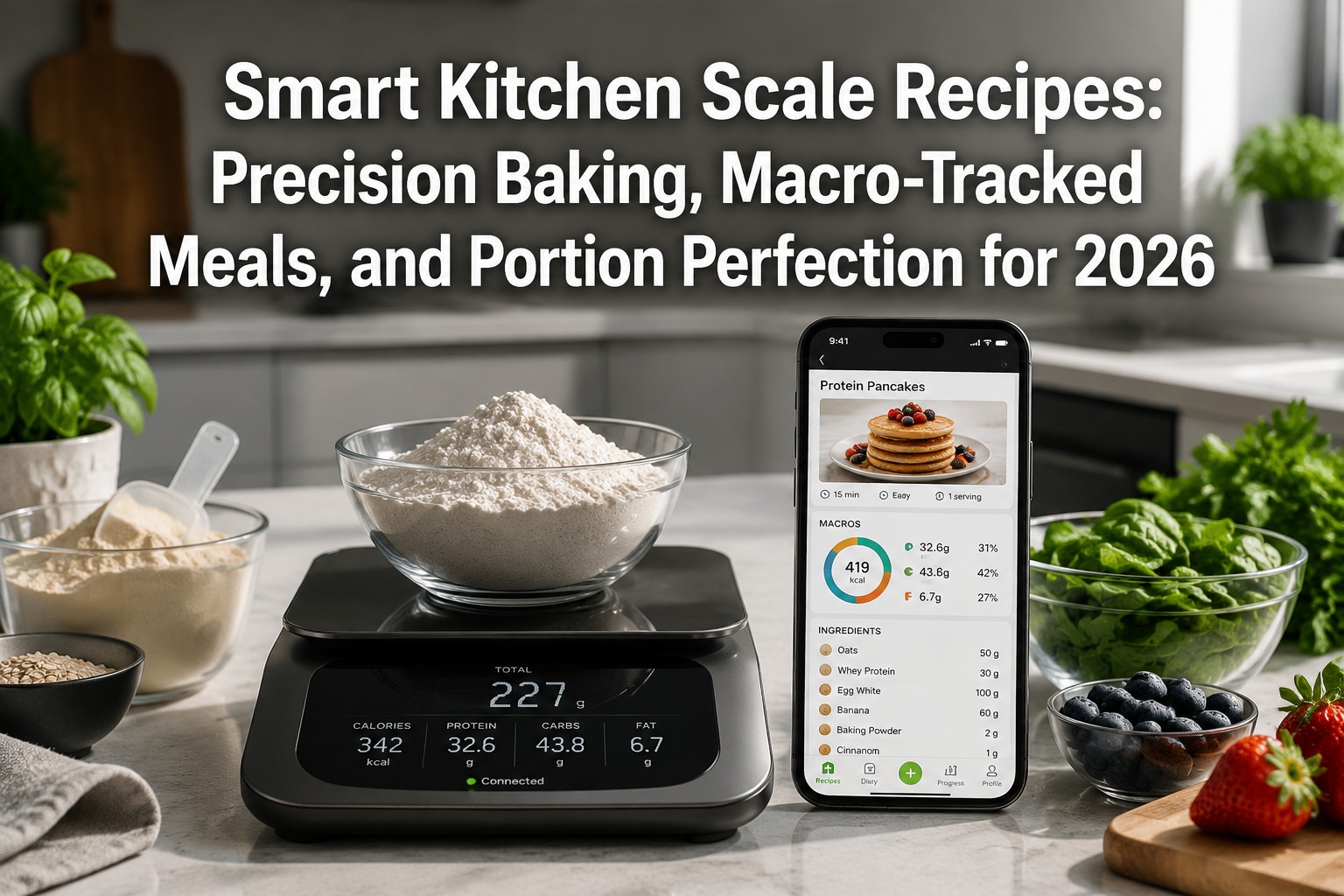
Smart Kitchen Scale Recipes: Precision Baking, Macro-Tracked Meals, and Portion Perfection for 2026
Last updated: May 8, 2026
Quick Answer
Smart kitchen scale recipes combine connected weighing technology with app-based guidance to deliver exact measurements for baking, automatic macro tracking for meal prep, and portion control that syncs with health platforms. In 2026, scales like the Etekcity ESN00 and HOTO Smart Kitchen Scale integrate with apps such as VeSync and Mi Home to calculate nutrients in real time, adjust recipe ratios on the fly, and log meals directly to Apple Health, Fitbit, or MyFitnessPal—turning every recipe into a data-driven, repeatable success.
Key Takeaways
- Smart scales automate macro tracking: Models like Etekcity ESN00 sync with VeSync and Nutritionix to calculate 19 nutrients per ingredient, eliminating manual entry for macro-tracked meals [1][2].
- 0.1g precision transforms baking: HOTO and similar scales measure to 0.1g accuracy, essential for flour-water ratios in sourdough, macarons, and other precision baking recipes [1].
- App integration enables real-time feedback: Connected scales adjust recipe quantities as you weigh, display step-by-step instructions, and sync portion data to health platforms instantly [1][3].
- Portion perfection for meal prep: Smart scales portion proteins, grains, and vegetables to exact calorie targets, then log each meal automatically for consistent macro goals [1][2].
- Etekcity dominates 2026 recommendations: The ESN00 and Food Kitchen Scale with Bowl lead expert lists for recipe integration, durability, and seamless health-app syncing [3][4].
- VeSync ecosystem powers recipe innovation: Etekcity’s VeSync app connects to Nutritionix’s database, enabling one-tap macro calculation and cross-platform health tracking [1][2].
- Compact models support on-the-go recipes: Smart Chef Pocket Scale offers Bluetooth connectivity and Apple Health integration in a portable design for travel meal prep [1].
- No manual math required: Scales calculate total recipe macros, per-serving splits, and nutrient density automatically, making complex recipes accessible to beginners.
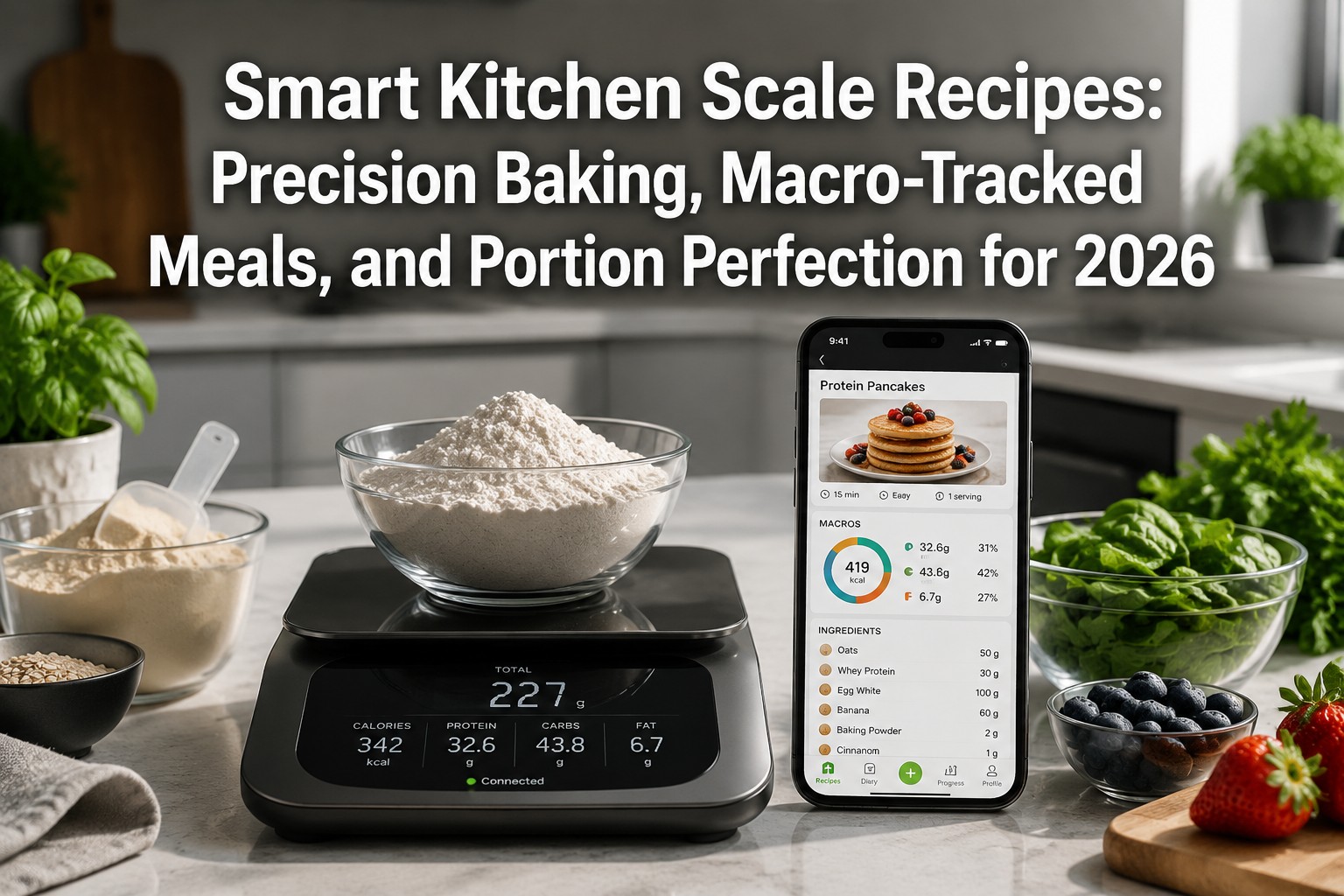
What Are Smart Kitchen Scale Recipes and How Do They Work?
Smart kitchen scale recipes are cooking instructions designed to work with Bluetooth or Wi-Fi-enabled scales that connect to smartphone apps. These recipes provide real-time weight feedback, automatic nutrient calculation, and step-by-step guidance as you measure each ingredient. Instead of guessing portions or manually logging food, the scale and app handle the math—tracking macros, adjusting serving sizes, and syncing data to health platforms like Apple Health or MyFitnessPal [1][2].
How the system works:
- Weigh and identify: Place an ingredient on the scale; the app recognizes it via barcode scan or database search (Nutritionix powers many apps with 800,000+ foods) [1].
- Instant macro display: The app calculates calories, protein, carbs, fat, and up to 19 other nutrients in real time as you add or remove food [2].
- Recipe mode: Follow app-guided recipes that adjust quantities on the fly—if you add 10g extra flour, the app recalculates water and yeast ratios for precision baking [1].
- Auto-logging: Finished meals sync to your health tracker, eliminating manual entry and ensuring accurate portion control [1][3].
Choose smart scale recipes if you’re serious about macro tracking for fitness goals, need repeatable precision for baking, or want to streamline meal prep without spreadsheets. Skip them if you prefer intuitive cooking or don’t track nutrition data.
Common mistake: Assuming all smart scales offer recipe integration. Many budget models only display weight; look for explicit app connectivity and recipe-mode features (Etekcity ESN00, HOTO, Smart Chef are verified for 2026) [1][4].
Why Use Smart Kitchen Scales for Precision Baking in 2026?
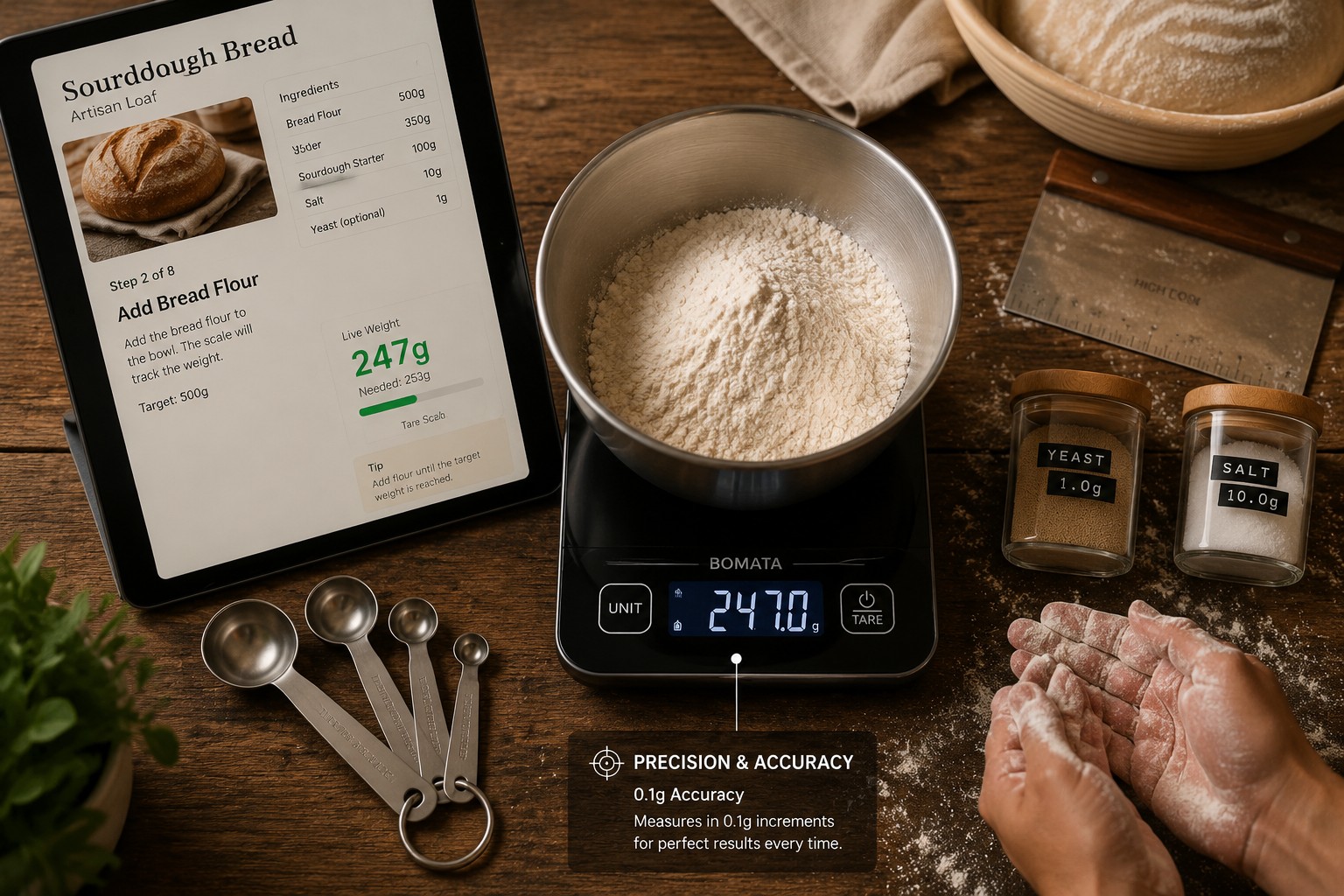
Precision baking demands exact ratios—too much flour dries out bread, too little water ruins macaron shells. Smart scales with 0.1g accuracy (like HOTO) eliminate guesswork by measuring ingredients to the tenth of a gram, then feeding that data into app-based recipes that adjust hydration, leavening, and mixing times automatically [1].
Key advantages for bakers:
- Hydration control: Sourdough recipes require 70-80% hydration ratios; 0.1g precision ensures consistent crumb structure batch after batch.
- Scaling recipes: App recipes multiply or divide ingredient quantities instantly—convert a 4-serving cake to 12 servings without manual math.
- Temperature compensation: Advanced apps (VeSync, Mi Home) adjust for ingredient temperature, critical for yeast activation and chocolate tempering [1][2].
- Step-by-step timing: Scales with recipe mode display mixing durations, rest periods, and proofing times alongside weight targets, syncing the entire process.
Real-world example: A baker using HOTO’s 0.1g scale and Mi Home app weighs 500.0g bread flour, 350.0g water (70% hydration), 10.0g salt, and 5.0g yeast. The app confirms ratios, then guides kneading for 8 minutes and proofing for 90 minutes—no separate timer needed [1].
Edge case: Scales with only 1g precision (common in budget models) can’t measure small quantities like 2g baking powder accurately, leading to flat cakes or bitter aftertastes. For serious baking, prioritize 0.1g models [1].
For more on achieving consistent results with poultry, see our guide on keeping chicken breast juicy and tender.
How Do Smart Scales Enable Macro-Tracked Meals?
Smart scales turn meal prep into a data stream by weighing each ingredient, calculating its macronutrient profile via connected databases (Nutritionix, USDA), and logging the totals to your health app—all without typing a single calorie count. This automation makes hitting daily protein, carb, and fat targets effortless, especially for athletes, bodybuilders, or anyone tracking macros for weight management [1][2].
Step-by-step macro tracking workflow:
- Tare and weigh: Place your plate or bowl on the scale, tare to zero, then add your first ingredient (e.g., grilled chicken breast).
- App recognition: The scale sends weight data to the app; you select “chicken breast, grilled” from the database or scan a barcode if packaged.
- Macro calculation: The app displays macros instantly—150g chicken = 46g protein, 0g carbs, 3g fat, 220 calories [1].
- Add ingredients: Tare again, add rice, then vegetables; the app sums macros for the entire meal.
- Sync and log: Tap “Save Meal” to push data to Apple Health, Fitbit, or MyFitnessPal, updating your daily totals automatically [1][2].
Why this matters for portion perfection: Eyeballing portions can miss targets by 20-30%. A “palm-sized” chicken breast might be 120g or 200g—a 30g protein swing. Smart scales eliminate that variance, ensuring every meal hits your macro split (e.g., 40% carbs, 30% protein, 30% fat) [3].
Comparison: Manual vs. Smart Scale Macro Tracking
| Method | Time per Meal | Accuracy | Health App Sync | Recipe Scaling |
|---|---|---|---|---|
| Manual (pen & paper) | 5-8 minutes | ±15-25% | No | Manual math |
| Basic digital scale | 3-5 minutes | ±10-15% | No | Manual math |
| Smart scale (Etekcity) | 1-2 minutes | ±2-5% | Automatic | One-tap adjust |
Pro tip: Use the “recipe builder” feature in VeSync or Mi Home to save custom meals (e.g., “Post-Workout Bowl”). Next time, the app recalls all ingredients and macros, letting you replicate the exact portions in seconds [1].
For balanced protein options, explore our collection of easy chicken breast dinner ideas.
What Are the Best Smart Kitchen Scales for Recipes in 2026?
The Etekcity ESN00 Smart Nutrition Scale leads 2026 recommendations for recipe integration, offering 1g precision (3g–5000g range), VeSync app connectivity, Nutritionix database access, and seamless syncing with Apple Health and Fitbit—making it the top choice for macro-tracked meals and portion control [1][3]. For precision baking, the HOTO Smart Kitchen Scale stands out with 0.1g accuracy up to 3kg and Mi Home app integration, ideal for detailed flour-water ratios and small-batch recipes [1].
Top models for Smart Kitchen Scale Recipes in 2026:
- Etekcity ESN00: Best overall for macro tracking; 1g increments, 19-nutrient analysis, VeSync app, Apple Health/Fitbit sync, rechargeable battery [1][2][3].
- HOTO Smart Kitchen Scale: Best for precision baking; 0.1g accuracy, 3kg capacity, Mi Home app, temperature compensation [1].
- Smart Chef Pocket Scale: Best portable option; Bluetooth-enabled, Apple Health integration, compact design for travel meal prep [1].
- Etekcity Food Kitchen Scale with Bowl: Best for large batches; includes mixing bowl, VeSync app, durable stainless steel, 11lb capacity [3][4].
- OXO Good Grips: Best non-smart baseline; 11lb capacity, pull-out display, no app but reliable for manual recipe scaling [4].
Decision rule: Choose Etekcity ESN00 if you prioritize macro tracking and health-app syncing. Pick HOTO if baking precision (0.1g) is your main goal. Opt for Smart Chef if you need portability for meal prep on the go [1].
Common mistake: Buying a scale without verifying app compatibility with your phone’s OS. Etekcity works with iOS and Android; HOTO requires Mi Home (available on both but with occasional regional restrictions). Check app store reviews before purchase [1].
For more on portion control with lean proteins, see our guide on whether chicken breast is lean.
How Do You Build Recipes Using Smart Kitchen Scales?
Building recipes with smart kitchen scales involves creating a digital template in the scale’s app that records each ingredient’s weight, calculates total macros, and divides by servings—so future batches require only weighing, not recalculating. This process turns one-off meals into repeatable, scalable recipes with perfect portion control every time [1][2].
Step-by-step recipe-building process:
- Open recipe mode: In VeSync, Mi Home, or your scale’s app, tap “Create Recipe” and name it (e.g., “High-Protein Chicken Bowl”).
- Weigh first ingredient: Place chicken breast on the scale, tare, and add until you hit your target (e.g., 200g). The app logs weight and macros.
- Add remaining ingredients: Tare between each addition—brown rice (150g), broccoli (100g), olive oil (10g). The app sums macros in real time.
- Set servings: Tell the app how many portions the recipe makes (e.g., 2 servings). It divides total macros per serving automatically.
- Save and sync: Store the recipe in your app library. Next time, select it, and the app guides you to weigh each ingredient to the saved amounts [1].
Example recipe: Precision Sourdough Starter (using HOTO 0.1g scale)
- 100.0g whole wheat flour
- 100.0g filtered water (25°C)
- Mix, rest 24 hours, feed daily with same ratios
- App tracks hydration at exactly 100%, alerts if temperature drifts [1]
Scaling recipes: To double the sourdough recipe, tap “2x” in the app—it adjusts to 200.0g flour, 200.0g water, and updates mixing time. No manual math required [1].
Edge case: Recipes with volume-based ingredients (e.g., “1 cup flour”) need conversion. Most apps include a volume-to-weight converter (1 cup all-purpose flour = 120g), but accuracy improves when you weigh from the start [1].
For versatile protein recipes, check out what chicken breast recipes to make for any night.
What Apps Work Best with Smart Kitchen Scales for Recipes?
VeSync (Etekcity’s ecosystem) and Mi Home (HOTO’s platform) dominate 2026 for recipe integration, offering Nutritionix database access, real-time macro calculation, and cross-platform health syncing. VeSync supports Apple Health, Fitbit, and indirect MyFitnessPal integration via Apple Health, while Mi Home excels in precision baking with temperature-adjusted recipes and 0.1g tracking [1][2].
Top apps for Smart Kitchen Scale Recipes:
- VeSync (Etekcity): 800,000+ foods via Nutritionix, 19-nutrient tracking, recipe builder, Apple Health/Fitbit sync, free [1][2].
- Mi Home (HOTO): 0.1g precision support, temperature compensation, recipe scaling, Xiaomi ecosystem integration, free [1].
- MyFitnessPal: Indirect integration via Apple Health; import weighed meals from VeSync, extensive food database, premium tier for macro goals ($9.99/month) [1].
- Fitbit App: Direct sync from Etekcity scales, meal logging, activity-adjusted calorie targets, free with Fitbit device [1].
- Apple Health: Central hub for syncing VeSync and Smart Chef data, aggregates nutrition across apps, built into iOS [1].
Feature comparison:
| App | Database Size | Macro Detail | Recipe Mode | Health Sync | Cost |
|---|---|---|---|---|---|
| VeSync | 800,000+ foods | 19 nutrients | Yes | Apple Health, Fitbit | Free |
| Mi Home | 500,000+ foods | 12 nutrients | Yes | Xiaomi ecosystem | Free |
| MyFitnessPal | 14M+ foods | 6 macros | Limited | Apple Health, Fitbit | $9.99/mo |
Pro tip: Use VeSync for daily macro tracking and meal prep, then export data to MyFitnessPal if you prefer its social features or barcode scanner for packaged foods. The two-app combo covers all bases [1].
Common mistake: Expecting instant syncing. Bluetooth scales require the app to be open during weighing; Wi-Fi models (rare in 2026) sync in the background but cost 2-3x more. Plan to have your phone nearby during meal prep [1].
How Do Smart Scales Achieve Portion Perfection for Meal Prep?
Smart scales achieve portion perfection by weighing each meal component to exact gram targets, calculating macros per portion, and logging the data automatically—ensuring every container in your weekly meal prep hits identical calorie and macro splits. This consistency eliminates the “Monday’s lunch has 50g protein, Friday’s has 30g” problem common in eyeballed meal prep [1][3].
Meal prep workflow with smart scales:
- Set weekly targets: Decide on daily macros (e.g., 2000 calories, 150g protein, 200g carbs, 65g fat) and number of meals (e.g., 5 lunches).
- Calculate per-meal macros: Divide daily targets by meals—each lunch needs 400 calories, 30g protein, 40g carbs, 13g fat.
- Weigh and portion: Cook proteins, grains, and vegetables in bulk. Use the scale to portion exactly 150g chicken (46g protein), 120g rice (32g carbs), 100g broccoli (3g protein, 6g carbs), 5g olive oil (5g fat) into each container [1].
- App confirmation: The scale’s app sums macros per container—if you’re 2g over on fat, remove a few drops of oil and re-weigh.
- Label and log: The app saves each meal as “Meal Prep Lunch #1” with a timestamp, syncing to your health tracker for the week [1][2].
Why this matters: Studies show portion control is the #1 predictor of weight-loss success, but manual portioning drifts over time. Smart scales lock in accuracy, making meal prep a set-it-and-forget-it system [3].
Real-world example: A bodybuilder preps 20 meals on Sunday using an Etekcity ESN00. Each container weighs 450g total and delivers exactly 40g protein, 50g carbs, 12g fat. The scale logs all 20 meals to Apple Health in 15 minutes, and the athlete simply grabs a container each day—no recalculating [1].
Edge case: Recipes with sauces or dressings complicate portioning. Weigh sauces separately (e.g., 30g teriyaki = 15g carbs), then distribute evenly across containers using the scale’s tare function between each pour [1].
For more on preparing lean proteins efficiently, see our guide on why boil chicken breast for juicy, easy meals.
What Are Common Mistakes When Using Smart Kitchen Scales for Recipes?
The most common mistake is forgetting to tare the scale between ingredients, which compounds weight errors and throws off macro calculations—especially in multi-ingredient recipes where a 10g error in flour cascades into incorrect hydration ratios for baking or skewed calorie counts for meal prep [1]. Another frequent error is assuming all app databases are accurate; third-party entries in MyFitnessPal or generic “chicken breast” listings can vary by 20-30% in macros depending on cooking method and fat content [1][3].
Top mistakes and fixes:
- Not taring between ingredients: Always hit “tare” or “zero” after adding each item to reset the scale. Skipping this adds the previous ingredient’s weight to the next, ruining recipe accuracy [1].
- Using volume measurements: Apps convert “1 cup flour” to weight, but flour density varies (sifted vs. packed). Weigh directly in grams for consistency [1].
- Ignoring cooking method in databases: “Chicken breast, raw” vs. “chicken breast, grilled” differ by 15-20% in weight and macros due to moisture loss. Select the cooked entry if you’re weighing post-cooking [1][3].
- Overloading the scale: Exceeding max capacity (e.g., 5000g on Etekcity ESN00) damages sensors and causes drift. Weigh large batches in portions [1].
- Skipping calibration: Scales drift over time. Use a calibration weight (often 500g) monthly to verify accuracy, especially for 0.1g precision models [1].
Decision rule: If your recipe’s macros seem off by more than 5%, double-check tare usage and database entries before blaming the scale. Most errors are user-side, not hardware [1].
Pro tip: Create custom food entries in VeSync or Mi Home for frequently used items (e.g., “My Grilled Chicken Breast, 165°F”) with verified macros from USDA data. This eliminates database guesswork [1].
For more on avoiding common cooking errors, see our guide on why chicken breast turns stringy.
How Do Smart Kitchen Scales Integrate with Health and Fitness Platforms?
Smart kitchen scales integrate with health platforms via Bluetooth or Wi-Fi connections that push meal data—calories, macros, and portion sizes—directly to Apple Health, Fitbit, MyFitnessPal, and similar apps, eliminating manual food logging and ensuring real-time tracking of nutrition goals. Etekcity scales sync through VeSync to Apple Health and Fitbit natively, while Smart Chef connects via Bluetooth to Apple Health, creating a seamless data pipeline from plate to health dashboard [1][2].
Integration workflow:
- Pair scale to app: Open VeSync or Mi Home, enable Bluetooth, and pair your scale (one-time setup).
- Link health platform: In the scale’s app, navigate to settings and authorize Apple Health, Fitbit, or other platforms (requires account login).
- Weigh and log: Each time you weigh a meal, the app calculates macros and pushes data to your health platform automatically—no extra taps [1].
- View aggregated data: Open Apple Health or Fitbit to see daily nutrition totals, trends, and how meals align with activity-adjusted calorie targets [1][2].
Supported platforms (2026):
- Apple Health: Direct sync from VeSync, Smart Chef; aggregates nutrition, exercise, sleep data [1].
- Fitbit: Direct sync from Etekcity scales; adjusts calorie goals based on steps and workouts [1].
- MyFitnessPal: Indirect sync via Apple Health or Fitbit; import weighed meals for detailed macro tracking [1].
- Google Fit: Limited support; some scales sync via third-party IFTTT integrations (not officially supported by Etekcity or HOTO as of May 2026) [1].
Why this matters: Integrated tracking reveals patterns—e.g., you hit protein goals on workout days but fall short on rest days. The data helps adjust meal prep portions or add a protein shake to specific days [1].
Edge case: If you use multiple health apps (e.g., Apple Health + MyFitnessPal), data can duplicate. Disable nutrition syncing in one app to avoid double-counting calories [1].
What Are the Best Precision Baking Recipes for Smart Kitchen Scales?
The best precision baking recipes for smart kitchen scales are those requiring exact hydration ratios, small-quantity ingredients, or temperature-sensitive techniques—sourdough bread, French macarons, laminated pastries, and artisan pizza dough top the list because 0.1g accuracy and app-guided timing transform finicky recipes into repeatable successes [1].
Top precision baking recipes for 2026:
1. Sourdough Bread (70% Hydration)
- 500.0g bread flour
- 350.0g water (25°C)
- 100.0g active starter
- 10.0g sea salt
- App guides autolyse (30 min), stretch-and-fold (4x), bulk ferment (4 hours), shape, proof (2 hours), bake (450°F, 35 min)
- HOTO scale’s 0.1g precision ensures exact hydration; Mi Home app adjusts for ambient temperature [1]
2. French Macarons
- 125.0g almond flour
- 125.0g powdered sugar
- 100.0g egg whites (aged 24 hours)
- 125.0g granulated sugar
- 0.5g cream of tartar
- App calculates meringue stiffness by weight gain during whipping; alerts when to stop mixing [1]
3. Laminated Croissant Dough
- 500.0g all-purpose flour
- 140.0g whole milk
- 140.0g water
- 55.0g sugar
- 40.0g butter (dough)
- 280.0g butter (lamination block)
- 12.0g salt
- 10.0g instant yeast
- App tracks butter block temperature (60°F ideal) and guides tri-fold timing [1]
4. Neapolitan Pizza Dough (65% Hydration)
- 1000.0g 00 flour
- 650.0g water (room temp)
- 30.0g sea salt
- 2.0g active dry yeast
- App scales recipe for 1-10 pizzas; adjusts fermentation time based on room temp [1]
Why these recipes work with smart scales: Each relies on ratios (hydration %, butter-to-flour ratios) that manual measuring can’t replicate consistently. A 5g error in macaron egg whites changes texture from chewy to hollow [1].
Pro tip: Save these recipes in your app’s library with notes on oven quirks (e.g., “My oven runs 15°F hot”). Next time, the app recalls both the recipe and your adjustments [1].
For more on achieving perfect texture in proteins, see our guide on why chicken breast gets chewy.
Frequently Asked Questions
What’s the difference between a smart scale and a regular kitchen scale? A smart scale connects to smartphone apps via Bluetooth or Wi-Fi to calculate macros, sync nutrition data to health platforms, and guide recipes in real time, while a regular scale only displays weight without app integration or nutrient tracking [1][3].
Do I need a subscription to use smart kitchen scale apps? No. VeSync (Etekcity) and Mi Home (HOTO) are free with full recipe and macro-tracking features. MyFitnessPal offers a free tier but limits some macro goals to its $9.99/month premium plan [1].
Can smart scales track homemade recipes with multiple ingredients? Yes. Recipe mode in VeSync and Mi Home lets you weigh each ingredient sequentially, tare between additions, and save the total macros as a custom recipe for future use [1].
How accurate are smart kitchen scales for macro tracking? Smart scales with 1g precision (Etekcity ESN00) are accurate within ±2-5% for macro tracking, while 0.1g models (HOTO) achieve ±1-2% accuracy, assuming correct database entries [1][3].
Do smart scales work offline? Most smart scales (Etekcity, HOTO) require an active Bluetooth connection to the app during weighing to calculate macros and sync data. Offline mode displays weight only, without nutrient tracking [1].
Can I use smart scales for meal prep portioning? Yes. Smart scales excel at portioning meal prep by weighing each container’s components to exact gram targets, then logging macros per meal automatically for consistent weekly nutrition [1][3].
What’s the best smart scale for precision baking? The HOTO Smart Kitchen Scale is best for precision baking due to its 0.1g accuracy (vs. 1g on most models), essential for small-quantity ingredients like yeast, baking powder, or salt in detailed recipes [1].
Do smart scales sync with Apple Health and Fitbit? Yes. Etekcity scales sync directly to Apple Health and Fitbit via the VeSync app, while Smart Chef connects to Apple Health via Bluetooth [1][2].
How do smart scales calculate macros for raw vs. cooked food? Smart scales rely on the database entry you select. Choose “chicken breast, raw” before cooking or “chicken breast, grilled” after cooking, as macros differ by 15-20% due to moisture loss [1][3].
Can I scale recipes up or down with smart kitchen scales? Yes. Apps like VeSync and Mi Home include a recipe-scaling feature that multiplies or divides all ingredient weights and adjusts cooking times automatically—no manual math required [1].
What’s the weight range for smart kitchen scales? Most smart scales (Etekcity ESN00, HOTO) measure 3g–5000g (11lb), suitable for single ingredients to large batches. Pocket models (Smart Chef) range 0.5g–500g for portability [1].
Do smart scales require calibration? Yes. Calibrate monthly using a known weight (often 500g) to maintain accuracy, especially for 0.1g precision models used in baking [1].
Conclusion
Smart kitchen scale recipes transform cooking from guesswork into a data-driven, repeatable process—whether you’re nailing sourdough hydration ratios with 0.1g precision, hitting macro targets for meal prep, or portioning dinners that sync automatically to Apple Health. In 2026, scales like the Etekcity ESN00 and HOTO Smart Kitchen Scale combine app-guided recipes, real-time nutrient tracking, and seamless health-platform integration to make precision baking, macro-tracked meals, and portion perfection effortless for home cooks, athletes, and bakers alike.
Next steps to get started:
- Choose your scale: Pick Etekcity ESN00 for macro tracking and health syncing, or HOTO for precision baking with 0.1g accuracy [1][3].
- Download the app: Install VeSync (Etekcity) or Mi Home (HOTO) and pair your scale via Bluetooth [1].
- Build your first recipe: Use recipe mode to weigh ingredients, save macros, and create a reusable template for future meals [1].
- Link health platforms: Authorize Apple Health, Fitbit, or MyFitnessPal in your scale’s app to automate nutrition logging [1][2].
- Start with simple recipes: Try a high-protein chicken bowl or basic sourdough to learn tare functions and app navigation before tackling complex bakes [1].
The 99X growth in smart kitchen scale adoption isn’t hype—it’s home cooks discovering that precision, once reserved for professional kitchens, now fits in a pocket-sized device that talks to your phone. Whether you’re chasing fitness goals, perfecting pastries, or just tired of guessing portions, smart scale recipes deliver the accuracy and automation that turn cooking into a science you can taste.
For more protein-focused meal ideas, explore our guide on easy chicken breast dinner ideas or learn how to keep chicken breast juicy.
References
[1] 10 Best Smart Food Scales For Portion Control – https://www.cleaneatzkitchen.com/a/blog/10-best-smart-food-scales-for-portion-control
[2] Watch – https://www.youtube.com/watch?v=WirUXTjZ2y0
[3] Best Food Scale – https://www.menshealth.com/nutrition/g29415554/best-food-scale/
[4] Watch – https://www.youtube.com/watch?v=yZQjO-yX2C4


